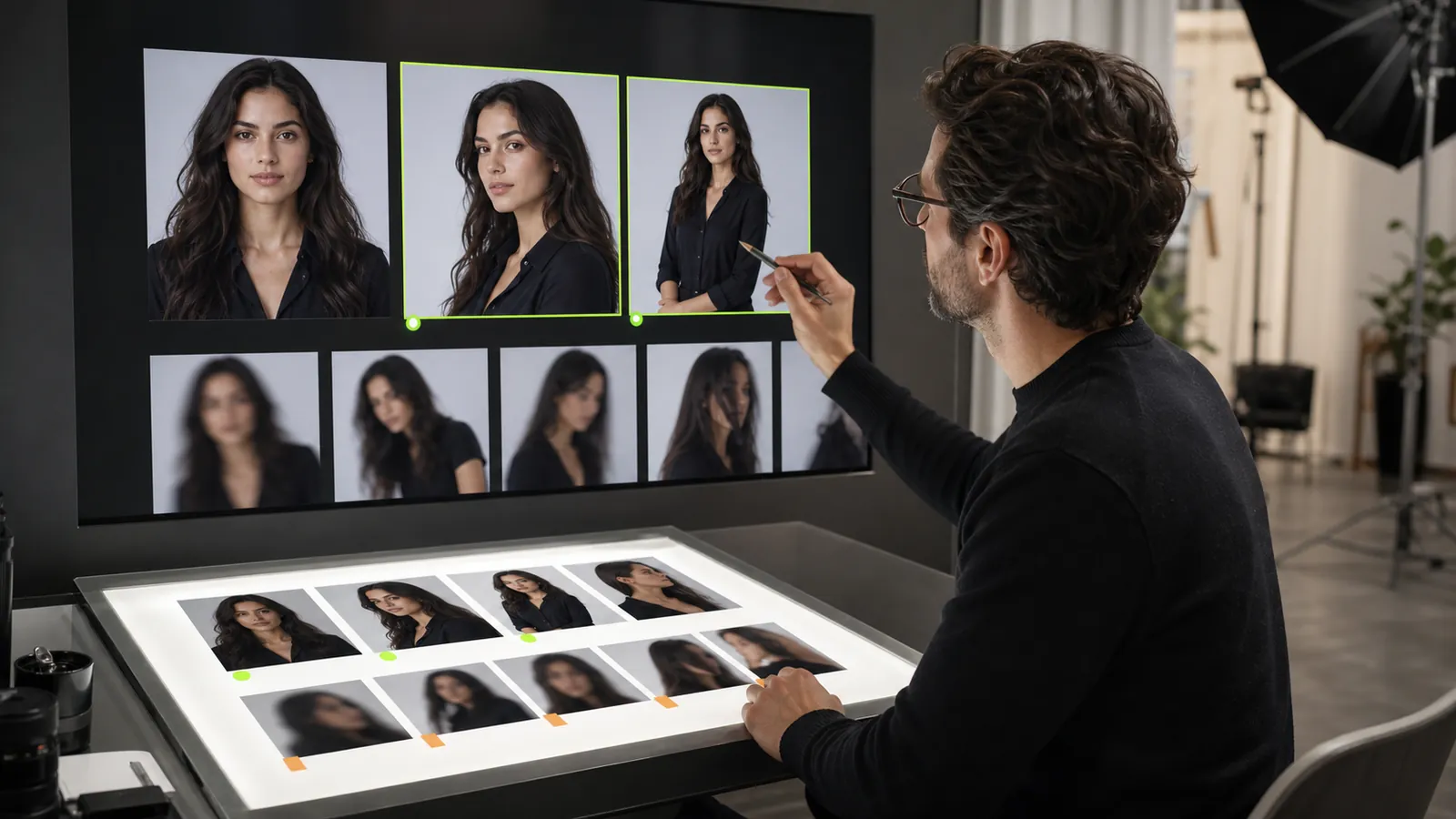
A virtual influencer generator can produce options, but a useful content system still needs planning, selection, review, and organization. Without those steps, it is easy to accumulate disconnected images instead of building a recognizable creator and a coherent body of work.
This seven-day workflow treats one week as a production cycle. It does not promise a particular number of posts, followers, sales, or hours saved. The goal is to leave the week with reviewed assets, clear notes, and a better process for the next cycle.
Before day one: define the boundaries
Choose one creator for the cycle. Working with a single identity makes it easier to notice whether scenes feel connected and whether your review criteria are consistent. You can extend the system to multiple creators later.
Create a short production brief containing:
- The creator’s role, audience, and general visual direction.
- The channels or formats you intend to prepare for.
- Content themes that are in scope for this week.
- Subjects, brands, settings, or claims that are out of scope.
- The person responsible for final review and approval.
Use only references you own or have permission to use. Review the Content Policy before uploading a real person’s likeness or preparing content for distribution.
Day 1: lock the identity brief
Day one is for defining what should remain recognizable. Select the authorized identity reference and write down stable visual cues without turning them into absolute promises. These may include general facial structure, hair direction, styling, color palette, and the tone of the creator’s content.
Create a baseline output in a simple scene and review it at full size. The baseline is not automatically approved just because it is the first image. Check the face, hands, clothing, background, and any unexpected text or branding.
Save the approved baseline and the configuration notes you will reuse. If it does not meet your standard, resolve that before expanding to more scenes.
Day 2: build a scene board
Plan several distinct content moments rather than generating at random. A balanced board might include a portrait, an indoor lifestyle scene, an outdoor scene, and a product-style composition. The exact mix depends on your audience and rights.
Use the Fanerse reference library to review available SFW poses and scenes. Record the references you choose so you can understand which creative direction produced each output.
For every planned scene, add:
- A one-sentence purpose.
- The intended pose or composition.
- The environment and lighting direction.
- The expected destination or crop.
- Any rights, disclosure, or brand-safety check required.
Do not plan around a feature you have not verified in your current plan. Current availability belongs on the Pricing page and inside the product confirmation flow.
Day 3: generate the first scene set
Generate the initial scenes using the same creator configuration. Change the pose or scene direction deliberately and keep notes on the options used. Avoid mixing unrelated experiments into one session.
Retain every output long enough to review it. Deleting weak results immediately encourages cherry-picking and makes it harder to understand recurring problems.
Classify outputs using simple production states:
- Approved: usable after the standard final review.
- Revise: the concept works, but a specific issue needs another attempt.
- Reject: the output is unsuitable, unsafe, misleading, or outside the brief.
Write a short reason for every revise or reject decision. “Face changed,” “background text,” and “pose does not fit brief” are more useful than “bad image.”
Day 4: expand scenes without losing direction
Use day four to create controlled variations from the strongest concepts. Change one meaningful element at a time: pose, camera distance, environment, or lighting. This helps you learn which changes preserve a recognizable direction and which require a new approach.
Compare outputs side by side with the baseline. Look for continuity without demanding identical pixels. The existing guide to AI creator identity and consistency explains why a repeatable workflow still requires review.
If a concept repeatedly fails, stop spending generations on small cosmetic changes. Return to the source, reference, or scene choice and document what you changed.
Day 5: add motion only when it serves the plan
Video is optional, not a required milestone. If video is available on your plan and an approved still image supports the intended motion, choose one source and one simple movement goal. Review the displayed credit cost before confirming because plan access and generation costs can change.
Watch the entire completed clip. Check identity, face, hands, clothing, objects, background stability, and framing—not only the thumbnail. If motion introduces a problem, keep the approved still rather than forcing the clip into the schedule.
For a focused walkthrough, use the image-to-AI-influencer video workflow.
Day 6: perform editorial and safety QA
Separate generation from publication approval. On day six, review the complete set with fresh attention. Confirm that every asset matches the brief and that captions do not introduce claims the image cannot support.
Run a final checklist:
- The creator remains reasonably recognizable across the selected set.
- Every depicted person appears to be an adult.
- References and outputs have the required rights and consent.
- No unexpected logo, personal data, protected character, or misleading text is visible.
- AI-generated disclosures are prepared where appropriate.
- Files are named and organized without exposing private source information.
- The destination platform’s current format and content requirements were checked.
Organize approved images and videos separately from rejected attempts. Keep a private production log connecting each approved asset to its scene brief and review status.
Day 7: publish deliberately and review the cycle
Publish only the assets approved for the destination you use. Fanerse helps create and organize content, but each external platform has its own current rules. Verify those rules instead of assuming that successful generation means automatic eligibility everywhere.
At the end of the cycle, review production metrics you control:
- Which planned scenes reached approved status.
- The most common reasons for revision or rejection.
- Where identity continuity was easiest or hardest to maintain.
- Which references produced useful compositions.
- Which steps created unnecessary rework.
Do not treat one week of engagement, reach, or sales as proof of a stable result. External performance depends on audience, distribution, timing, creative quality, and many factors outside generation.
Carry the learning into next week
Keep the strongest parts of the brief, replace weak references, and choose one process improvement for the next cycle. That might mean simplifying scenes, documenting settings more carefully, or adding a second reviewer before publication.
The workflow should become more understandable, not merely larger. If you are still refining the identity, continue with one creator before expanding the roster. The guide to common AI creator mistakes can help identify avoidable production problems.
To review Fanerse’s current identity-guided creation workflow, visit the Fanerse homepage. Use the weekly structure as a planning framework, then adapt the volume and media types to the actual plan, review capacity, and content standard available to you.