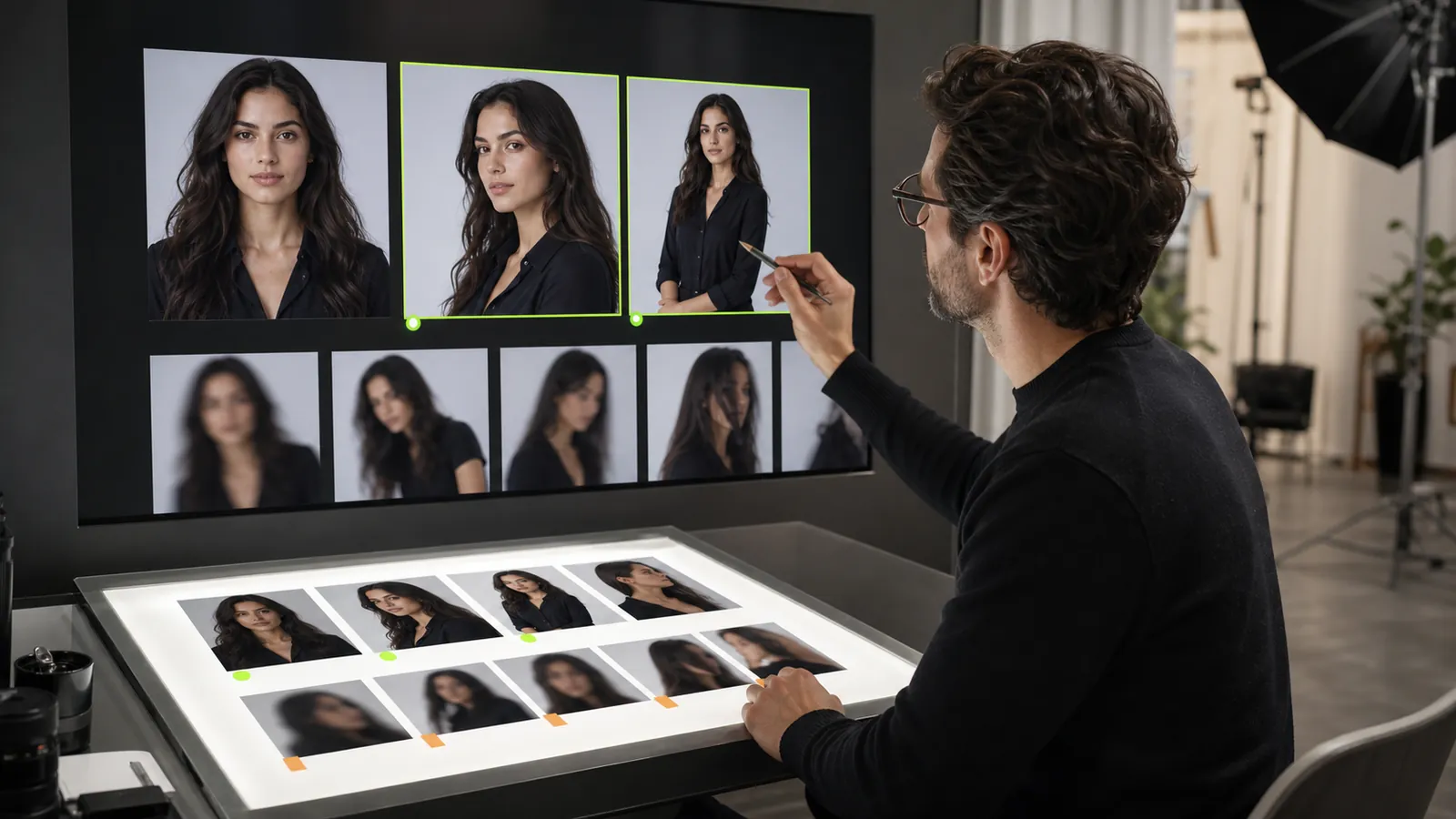
The reference image is the identity anchor of an AI influencer workflow. It gives the generation process visible information about the person or character you want to keep recognizable while the pose, scene, clothing, or composition changes. A strong reference cannot guarantee an identical result, but it can make your direction clearer and your review process more consistent.
The best reference is not always the most polished portrait in your library. It is the image that you are permitted to use, shows the important identity details clearly, and fits the type of content you plan to create. This guide provides a practical way to choose one without relying on vague ideas such as “high quality.”
Start with permission, not pixels
Use only an image you own or are authorized to use. Do not upload minors, create non-consensual intimate imagery, or use a real person for deceptive impersonation. Review the Fanerse Content Policy before uploading, and keep any consent or licensing evidence in an appropriate protected system.
Permission to possess an image is not automatically permission to transform, publish, or use a person’s likeness commercially. Confirm the scope that applies to your intended use. If your team cannot verify the source and permission status, do not treat that file as an approved reference.
Decide what the reference needs to preserve
Write down the identity anchors a reviewer should recognize in later outputs. These may include face shape, eye area, nose, mouth, hairline, hairstyle, skin tone, and a small number of stable styling details. Separate those anchors from elements that are allowed to change, such as expression, clothing, background, or camera angle.
This distinction matters because an image can be visually beautiful while hiding the details you need. A dramatic side profile may fit a campaign mood but reveal too little of the face to serve as the clearest identity reference. Use mood and composition references for creative direction; use the identity reference to establish who the creator is.
Evaluate face visibility
Prefer a reference where the face occupies enough of the frame to inspect, both eyes are visible when the intended identity is front-facing, and important features are not covered by hair, hands, glasses glare, heavy shadows, or foreground objects. A natural front or slight three-quarter angle is usually easier to review than an extreme angle.
Look for a relaxed expression that does not distort stable features. A wide laugh, tightly closed eyes, or an exaggerated pose may be useful later, but it can make the baseline harder to judge. This is not a rule against expression; it is a reason to choose a neutral anchor and introduce expressive variation deliberately.
Check focus, detail, and compression
Zoom in on the eyes, mouth, hairline, and edges of the face. Reject files with motion blur, aggressive beauty filters, blocky compression, repeated sharpening halos, or an already distorted face. Increasing file dimensions cannot restore identity information that is not present in the source.
Avoid screenshots that include interface controls, captions, watermarks, or multiple rounds of recompression. Use the cleanest authorized source file available. If two files show the identity equally well, choose the one with fewer artifacts rather than the one with the larger nominal dimensions.
Prefer readable, balanced lighting
Lighting should reveal the face rather than divide it into missing information. Soft, even light makes the eye area, nose, mouth, jaw, and skin tone easier to inspect. Strong colored light, deep shadow, blown highlights, and mixed lighting can change how those features appear.
The reference does not need to look flat or clinical. It needs enough readable information to act as a baseline. Save dramatic lighting for the scene direction unless that lighting is an intentional, permanent part of the creator’s visual identity.
Review crop, background, and occlusion
A clean head-and-shoulders or upper-body frame often makes facial review straightforward, but the correct crop depends on the intended workflow. Make sure the head is not cut off and the image has not been stretched. If body proportions or a recurring hairstyle are important, include enough of them to review without making the face too small.
A simple background helps reviewers focus on the creator, although it does not need to be perfectly blank. Avoid crowded scenes where another face, reflective surface, printed portrait, or visually dominant object could create ambiguity. You can browse the Fanerse reference library separately for scene and pose direction instead of forcing one image to define identity and every future composition.
Match the reference to the planned output
Consider where the generated content will be used. A profile-led workflow needs a reference with clear facial information. A fashion-oriented series may also require stable hair and body styling notes. A sequence designed for vertical social posts needs enough identity detail to survive tighter crops.
Do not select a reference only because it resembles the first scene you want to make. The purpose is to support recognition across new posts. The character consistency guide explains why stable identity criteria should be reviewed separately from changes in pose and environment.
Use a repeatable reference checklist
Before approving a file, answer the following questions:
- Do we own this image or have documented permission for the intended use?
- Is the person an adult, and does the planned use comply with policy?
- Can a reviewer see the defining facial features clearly?
- Is the face in focus and free from major compression or filter artifacts?
- Does the lighting preserve natural, readable detail?
- Are important features free from occlusion?
- Is there only one unambiguous identity in the frame?
- Have we separated stable identity anchors from details allowed to vary?
- Does the crop support the kinds of outputs we plan to create?
Record the result with an internal asset ID, permission status, approval date, and reviewer. Do not place source images or sensitive consent documents in public analytics or unsecured planning tools.
Test references with a controlled comparison
If two authorized references appear equally suitable, compare them using the same scene direction and the same acceptance checklist. Change only the reference, then review recognizable identity, visible artifacts, and the number of usable outputs. Treat any counts as evidence about your specific workflow, not as a universal benchmark.
Keep the chosen reference stable while testing new poses and scenes. If you replace the identity anchor and creative direction at the same time, you will not know which change caused the difference. Document the version whenever a reference is replaced so older and newer outputs are not evaluated as one uninterrupted set.
Choose clarity you can defend
A useful reference is authorized, readable, focused, and aligned with your intended outputs. It gives reviewers a concrete identity baseline while leaving room for new scenes and expressions. Taking a few minutes to check permission, visibility, lighting, artifacts, and crop can prevent avoidable rework later and produce a workflow that is easier to evaluate honestly.


