Fanerse's Reference Library gives you 12,000+ starting points. But sometimes you want something specific — a particular camera angle, a particular lighting mood, a particular outfit style — and you want to dial it in yourself. That's what Director Mode is for.
What Is Director Mode?
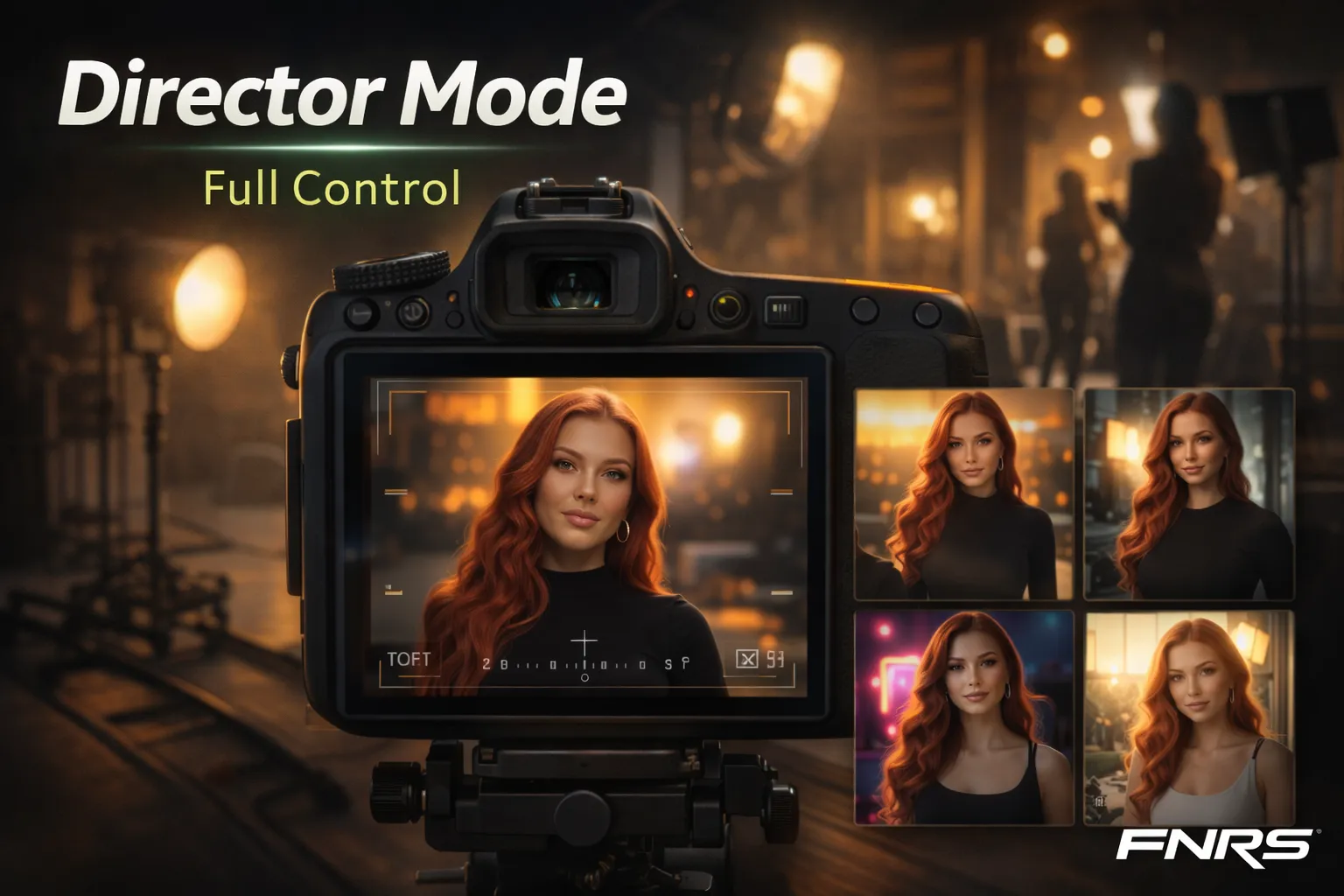
Director Mode is an image-to-image generation system that lets you reshoot any existing image with modified parameters. Think of it as having a professional photographer and stylist on standby. Instead of generating from a text prompt, you start with a reference image and then apply filters to adjust specific aspects of the shot.
There are 48 organized filters across six categories, each designed to modify one dimension of the image while preserving your creator's DNA consistency.
The Six Control Categories
POV (Point of View)
Control where the camera is relative to your creator. Options include selfie angle, eye-level, low angle (power pose), high angle (looking down), over-the-shoulder, and mirror reflection. Each POV dramatically changes the feel of an image — a low angle shot conveys confidence and power, while a high angle creates a more intimate, approachable feel.
Camera Angle
Fine-tune the framing beyond POV. Close-up portrait, medium shot, full body, wide establishing shot, dutch angle for dramatic tension, and birds-eye for creative overhead compositions. The camera angle determines how much of the scene versus your creator is visible.
Lighting
Perhaps the most impactful control. Options include natural window light, golden hour, studio softbox, dramatic rim lighting, neon glow, candlelight, and harsh direct flash. Lighting sets the entire mood of an image — the same person in the same outfit looks completely different under golden hour warmth versus harsh studio light.
Outfit
Modify what your creator is wearing without losing their identity. Categories span casual/loungewear, athleisure/gym, formal/evening, swimwear/bikini, professional/business, streetwear, and intimate/lingerie (tier-dependent). The AI handles fabric draping, body proportions, and environmental context naturally.
Pose
Direct your creator's body language. Standing confident, sitting relaxed, leaning against wall, lying down, active/in-motion, looking back over shoulder, stretching/yoga, and more. Pose combined with POV creates infinite compositional variety.
Mood
Set the emotional tone. Confident/powerful, playful/fun, sultry/seductive, peaceful/serene, mysterious/moody, joyful/laughing, and intense/focused. Mood affects facial expression, body tension, and the AI's approach to lighting and composition.
How to Use It
The workflow is designed for speed:
- Start with any image — a previously generated image, or generate a new one.
- Open Director Mode — the filter panel appears as an accordion interface.
- Select your adjustments — tap filters from any category you want to modify.
- Reshoot — the AI generates a new version with your modifications applied, maintaining DNA consistency.
Each reshoot costs 6 credits. You can reshoot as many times as you want, stacking different filter combinations until you get exactly the shot you envisioned.
Director Mode + References: The Power Combo
The most effective workflow combines both systems. Use a Reference Library asset to establish the base composition and pose, then apply Director Mode filters to fine-tune specific aspects. The reference handles the complex spatial composition while Director Mode handles the stylistic polish.
For example: browse references for a "gym workout" pose you like, generate with that reference, then use Director Mode to switch the lighting from studio to natural window light and adjust the outfit from full gym gear to sports bra and shorts. You get the perfect pose from the reference plus the exact style adjustments you want.
Why It Matters for Content Strategy
Director Mode isn't just a creative tool — it's a production efficiency tool. When you find a composition that works well for your audience, you can reshoot it with variations:
- Same pose, three different outfits = three posts for your content calendar.
- Same outfit, three different lighting styles = morning, afternoon, and evening versions.
- Same base image, adjusted for different platforms = Instagram square, Story vertical, Twitter landscape.
This ability to create controlled variations from a single starting point is what separates professional content production from random generation.